
AI Anime Portrait Generator — turn a photo into anime
Updated 10 September 2026 · Twin AI Labs
An AI anime portrait generator turns an ordinary photo into an anime portrait: you upload a selfie, pick a style (Ghibli, shonen, cyberpunk, chibi), and the model draws you as a character in a minute while keeping your likeness. Twin AI puts the strongest models in one window — Nano Banana Pro holds the resemblance, Seedream 5 Pro and GPT Image 2 deliver clean anime styling. Free to start, no per-tool subscriptions.

What is an AI anime portrait generator
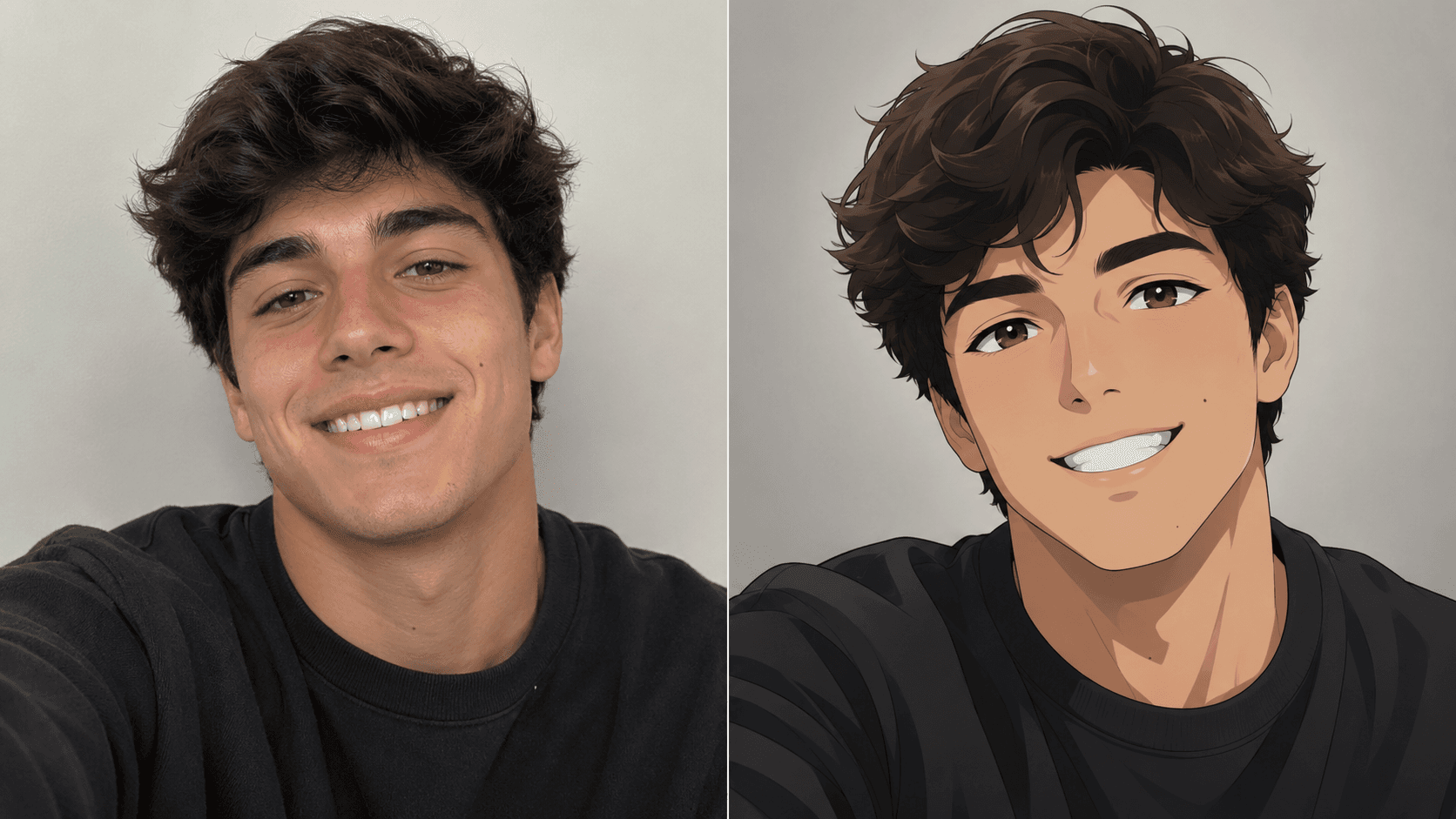
An AI anime portrait generator turns an everyday photo into an anime portrait: you upload one shot, name a style and mood, and the model redraws you as a character — with large expressive eyes, cel shading and the light treatment anime is known for. The result is an avatar that reads as you, in a drawn world.
In Twin AI this happens in one window: open /create/photo, upload a face reference and write a prompt with the anime style. No hand-drawing, no Stable Diffusion or LoRA setup — the first options appear in a minute, and you refine the best one with follow-up prompts.
Keeping the likeness: controlling stylization strength
The core problem of photo-to-anime is the balance between resemblance and style. Too little stylization gives just a “filter” over the photo; too much gives a pretty character you can no longer recognize. The trick is in the prompt and the model choice.
Nano Banana Pro in Twin AI is an image-edit model with the best face retention: it carries your expression and features into the anime style without redrawing you into a different person. If you want a more drawn, “clean” anime frame less tied to the photo, use Seedream 5 Pro or GPT Image 2 and add the photo as a reference. A practical rule: start with strong likeness (Nano Banana Pro), then push the style with follow-ups like “make it more anime”, “bigger eyes”, “add cel shading”.
Which anime styles you can get
Modern 2026 models know dozens of named anime styles natively — no need to train a separate model for each. Just name the style in the prompt.
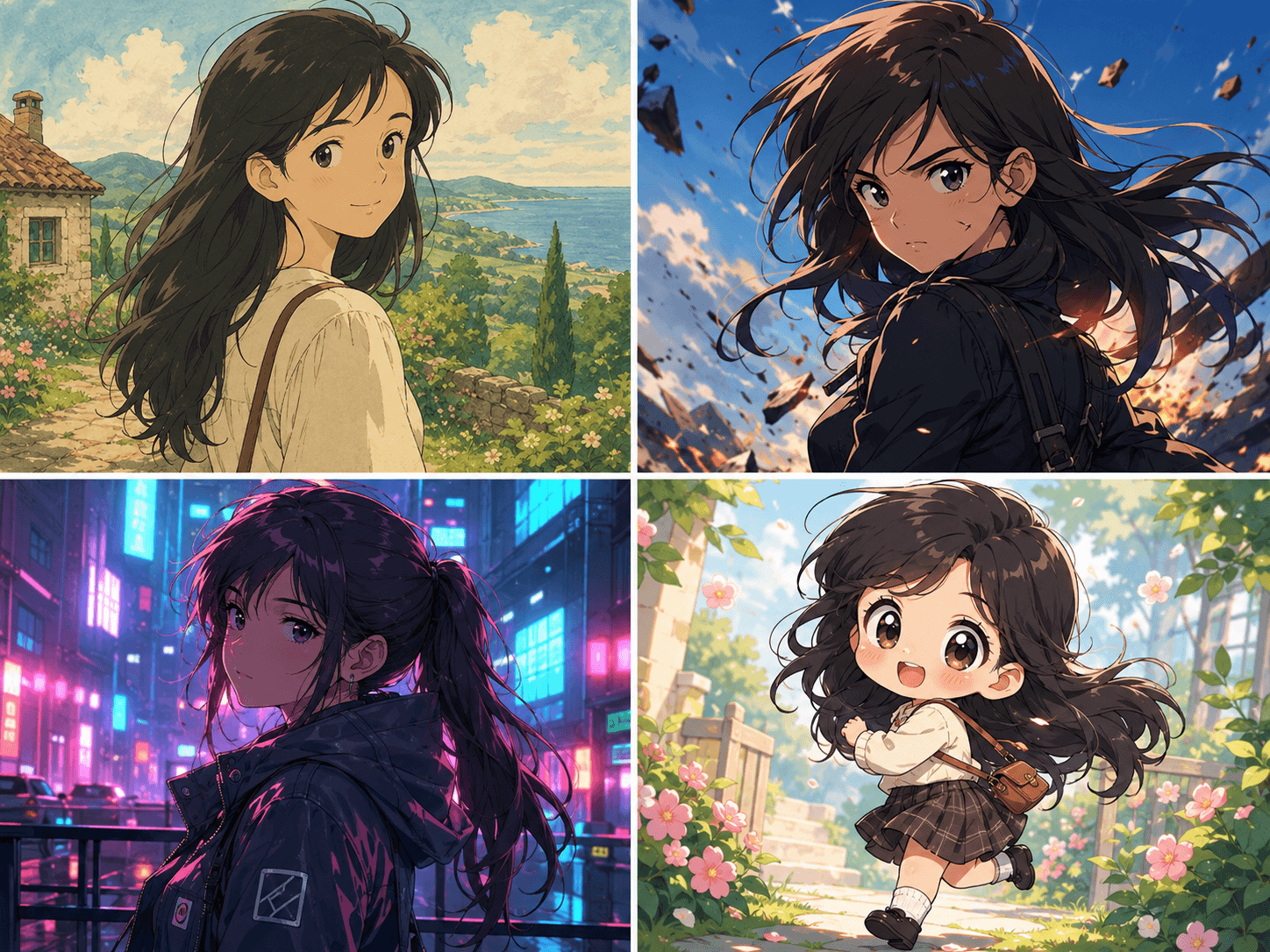
- Ghibli — soft watercolor pastoral, warm Miyazaki-style light
- Shonen — bold action style with sharp cel shading and outlines
- Shojo — delicate lines, big sparkling eyes, romantic mood
- Cyberpunk anime — neon, rain, future city in a Ghost-in-the-Shell vein
- Chibi — cute mini format with a big head for stickers and avatars
- Makoto Shinkai — atmospheric skies and cinematic light (“Your Name”)
How to make an anime portrait in 5 steps
Step 1. Take a sharp selfie in even light — face large, eyes to camera, no dark glasses.
Step 2. In Twin AI open /create/photo → upload the shot as a reference → pick Nano Banana Pro.
Step 3. Write a prompt, for example: “turn into an anime portrait in shonen style, large expressive eyes, cel shading, soft light, neutral background”.
Step 4. Get 4–6 options. Refine the best one: “make it Ghibli style”, “add a neon background”, “bigger eyes”.
Step 5. Download in high resolution, or animate the portrait into a short video — see below.
Animate the anime portrait into video
An anime avatar does not have to stay a still image. In Twin AI a finished portrait can be animated into a short clip via /create/video: blinking, a head turn, moving hair and background. Video models Kling 3.0 and Veo 3.1 Fast take your image as the first frame and draw in the motion.
Such a clip fits Telegram avatars, channel covers and vertical video for Reels and Shorts. This is a rare case where image and video models live in one service — no need to stitch three subscriptions into a pipeline.
Where to use an anime portrait
One shot covers several needs at once — from social profiles to gifts.
- Avatar on Telegram, Discord and gaming profiles
- Channel covers and chibi-style sticker packs
- A character for Reels, Shorts and vertical video (via animation)
- An anime portrait as a gift — from a photo of someone close
- Illustrations for fanfiction, visual novels and tabletop games
How much an AI anime portrait costs
One generation in Twin AI costs 200 credits (≈ $1.20 on Nano Banana Pro). A full selection — 6–10 shots with refinement — runs 1,200–2,000 credits ≈ $7–12. Free credits on sign-up cover your first portraits; the Start subscription from $15/mo gives 2,600 credits. See /pricing.
For comparison, dedicated anime generators (NovelAI, PixAI) charge $10–25/mo for anime alone. Twin AI covers the same job with all the models in one window — plus photorealistic models and video in the same place — with no per-style lock-in.
FAQ
How do I make an anime portrait from a photo?
Upload a selfie on /create/photo as a reference, pick Nano Banana Pro and write a prompt with an anime style (“turn into an anime portrait, shonen, big eyes, cel shading”). In about a minute you get 4–6 options and refine the best one with follow-ups.
Will it keep my face or draw a different character?
Nano Banana Pro is built to hold the likeness: it carries your features and expression into the anime style. If you want to push further into drawing, strengthen the style in the prompt; if resemblance matters most, keep the wording softer and add more face references.
Which anime styles are available?
Ghibli, shonen, shojo, cyberpunk anime, chibi, Makoto Shinkai and more. 2026 models know dozens of named styles natively — just name the one you want in the prompt, no separate training needed.
Can I animate the anime portrait into a video?
Yes. A finished portrait is animated on /create/video with Kling 3.0 and Veo 3.1 Fast — blinking, a head turn, moving background. The clip works for Telegram avatars and vertical video.
How many photos do I need to upload?
One sharp, well-lit selfie is enough for Nano Banana Pro. More angles help the model keep your likeness, but a single clear front-facing shot already works.
Can I make an anime portrait for free?
Yes. Free credits on sign-up cover your first portraits before paying. After that continue on the Start subscription from $15/mo (2,600 credits) or top up credits one-off.