
Grunge aesthetic photos and PFPs from one selfie
Updated 23 September 2026 · Twin AI Labs
A grunge aesthetic photo is a frame built from 90s texture: coarse film grain, high contrast, a hard direct flash and a deliberately messy look — flannel over a faded tee. One selfie is enough, and the frame lands in about a minute. Twin AI ran 2,916 generations with that texture over 90 days; each image costs 200 credits.
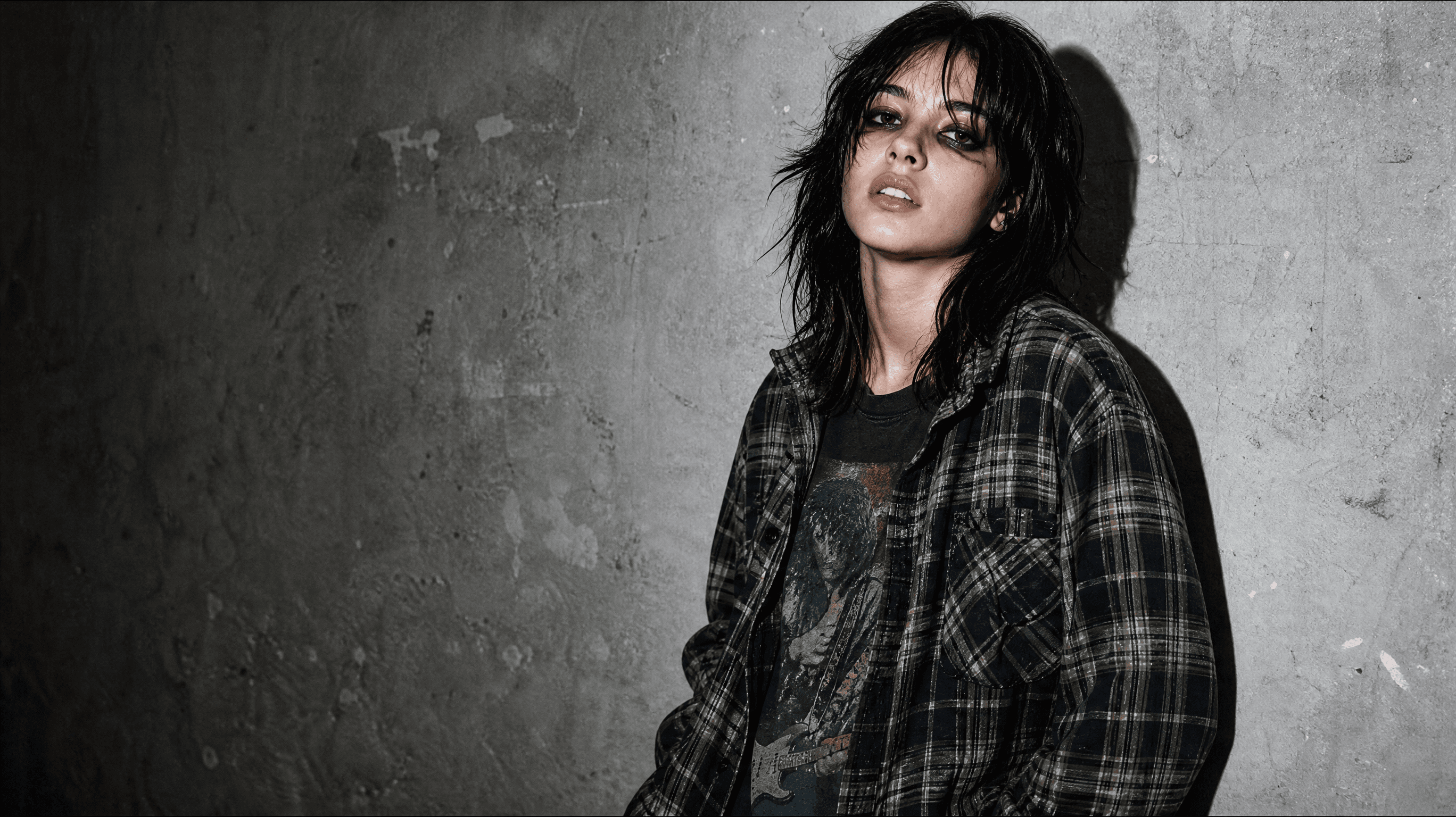
How to make a grunge photo from your own selfie
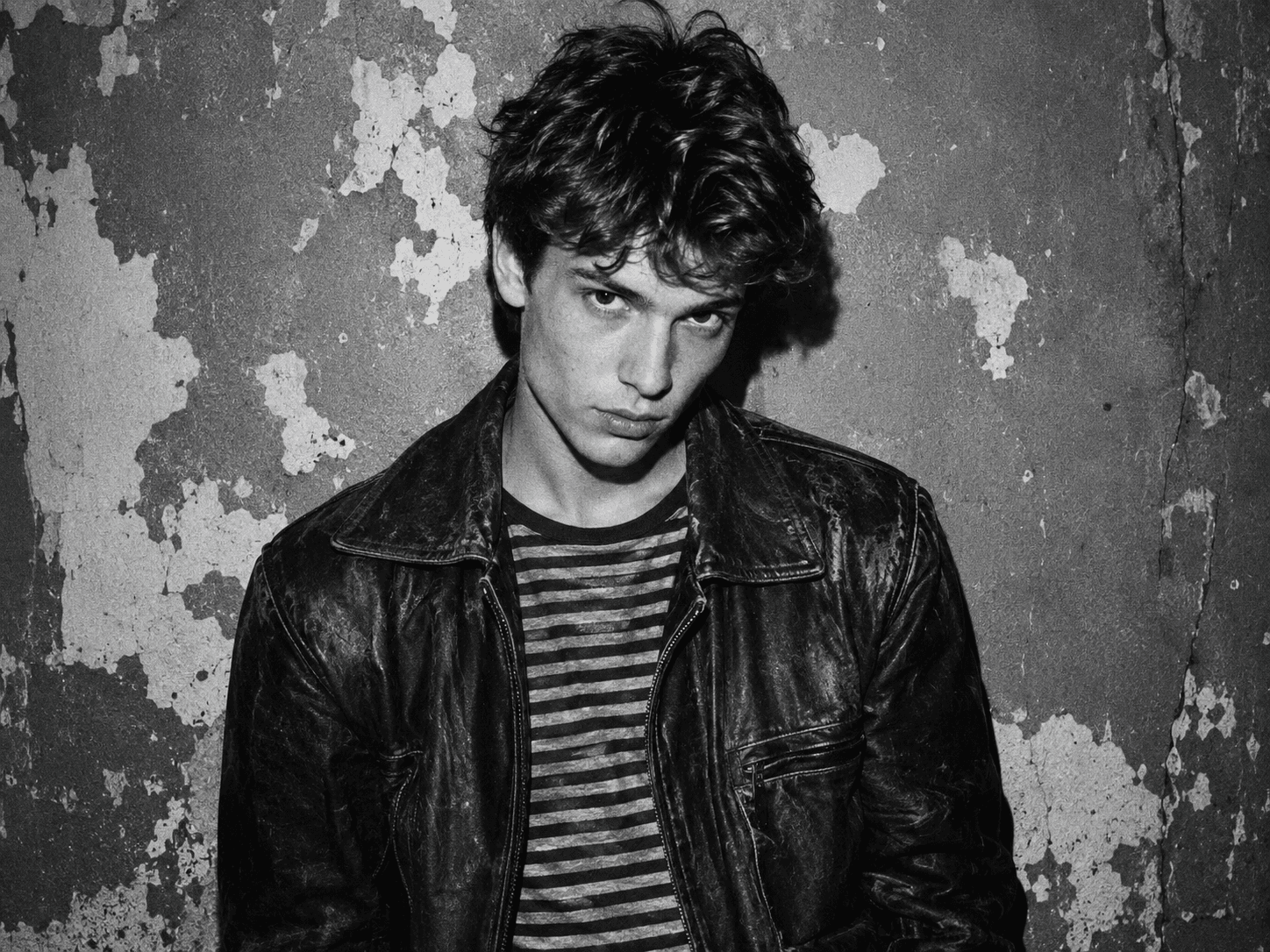
A grunge frame is not a filter dropped on top of a finished shot — it is rebuilt. The model takes the face from your reference and reassembles the light, the clothes and the texture around it. That is why describing the shooting conditions beats asking for "grunge".
In Twin AI it is one screen. Open /create/photo, add a selfie as the face reference and spell the frame out: "hard direct flash, high contrast, coarse film grain, flannel shirt over a faded tee, smudged dark liner, peeling concrete wall". First variants land in about a minute — the median wait on this texture is 49 seconds. After that, change one detail at a time: "more grain", "drop the colour", "harder shadow on the wall". One change per attempt is how you see which edit broke the frame.
- Upload one front-facing selfie on /create/photo: whole face, no sunglasses, no deep shadow.
- Describe the light first: hard direct flash, high contrast, shadows crushed to black.
- Add the texture: coarse film grain, slight blowout, a touch of motion blur.
- Name two or three wardrobe items: flannel, stretched tee, ripped denim, leather jacket.
- Set the background: peeling paint, concrete, a dim corridor — a clean studio kills the style.
- Pick the format: 1:1 for a PFP, 3:4 for a vertical portrait, 9:16 for stories.
What makes a frame read as grunge: five traits
Grunge grew out of the early-90s Seattle music scene, and its wardrobe is documented precisely: flannel shirts, stretched sweaters, ripped jeans, thrifted layers and heavy boots — en.wikipedia.org/wiki/Grunge_fashion. Photography adds film texture on top of the clothes. Miss two of the five traits below and you get an ordinary modern portrait in a plaid shirt, which reads instantly as a style that was not understood.
- Coarse film grain and a dirty texture — the leading trait: 2,585 of our 2,916 prompts asked for it.
- High contrast with crushed shadows: black stays black and the midtones disappear.
- Hard direct light — flash straight on and a sharp shadow on the wall, not a soft studio portrait.
- A careless look: flannel over a tee, stretched knits, ripped denim, smudged dark liner.
- A worn background: concrete, brick, peeling paint, a dim corridor — never a clean cyclorama.
Why the word "grunge" belongs out of your prompt
The most useful thing in our data is what people do not write. Over 90 days the word "grunge" showed up in 9 prompts, while 2,916 generations asked for exactly the texture the style is made of — grain, contrast, monochrome, film. Listing the traits works better than naming the style.
The reason is simple: a model averages style names and reads traits literally. "Grunge" covers a band poster, a scratched texture and a dark interior all at once. "Coarse grain, hard flash, crushed shadows, flannel shirt" describes exactly one frame. Of those 2,916 generations, 658 explicitly asked for black-and-white or monochrome — the second most common way to land the look without naming it once.
Grain in an editor or a new frame: which to pick
Editors and generation solve different problems, and the choice depends on whether you already own the right shot. Lightroom and Photoshop add grain and work the light locally on a photo you have taken — helpx.adobe.com/photoshop/desktop/create-manage-layers/color-adjustment-fill-layers/enhance-texture-with-grain.html, and Snapseed ships a dedicated Grunge filter — support.google.com/snapseed/answer/3113636. Digital Photography School walks through a grunge portrait edit in Lightroom — digital-photography-school.com/add-grunge-effect-portraits-using-lightroom/.
What no editor will draw for you is the flannel shirt, the flash shadow and the concrete wall: either they are in the frame or they are not. Generation starts from the other end — it takes the face from your photo and builds a new scene around it. So: texture on an existing shot means an editor, a different light, outfit and background means generation.
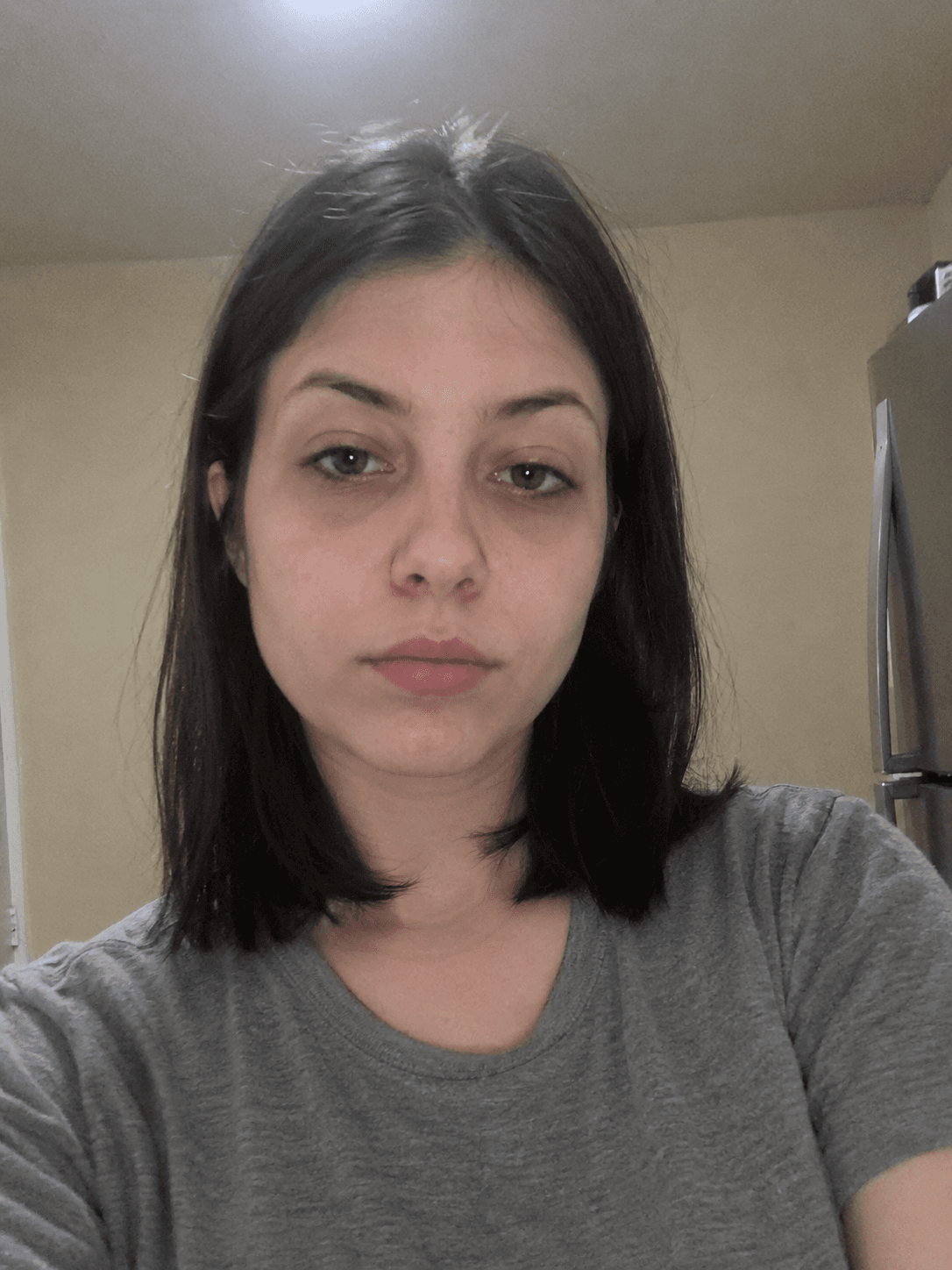
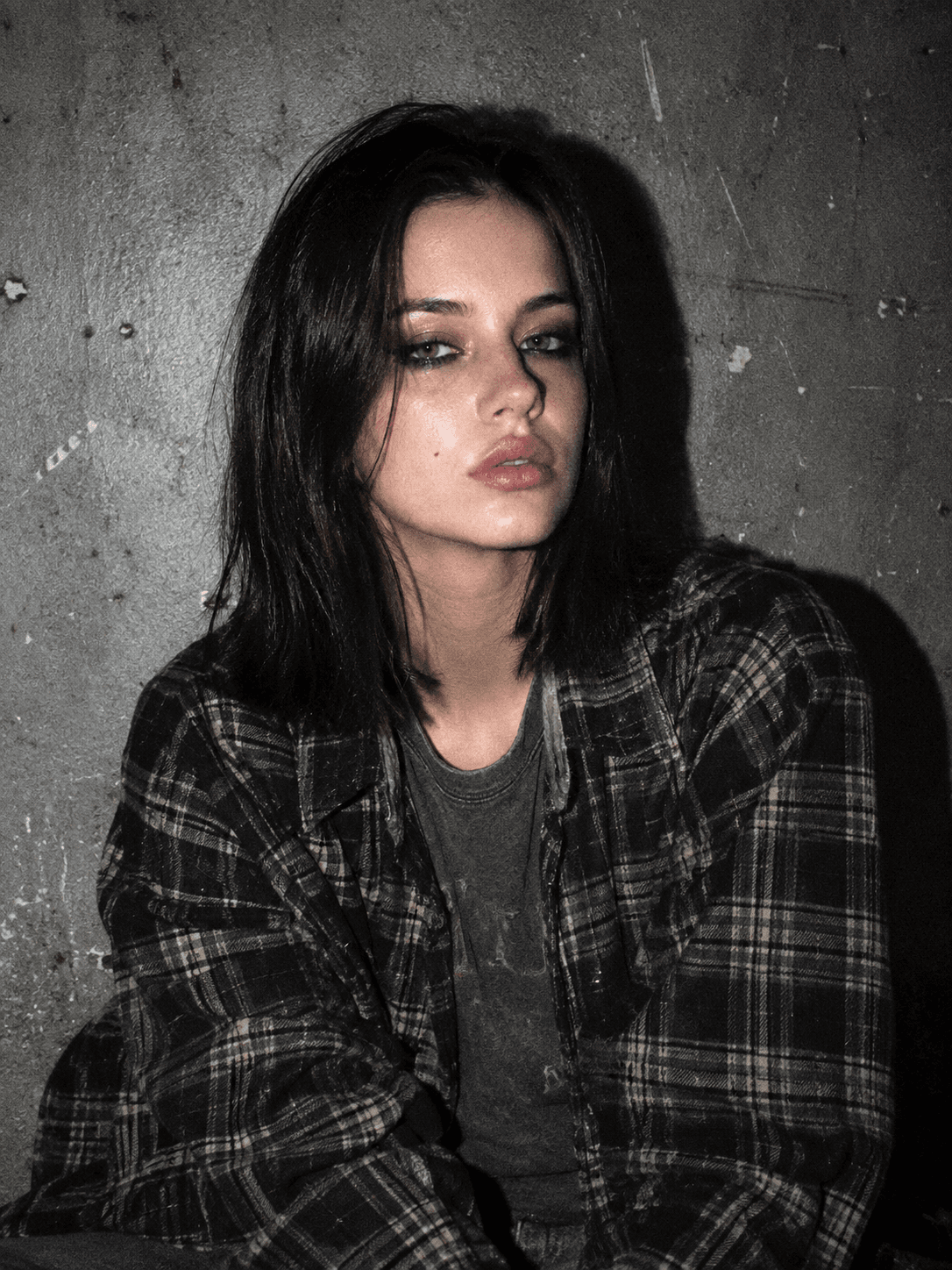
The same face: a kitchen selfie and a grunge portrait with flash and grain
| Tool | What it does | Changes outfit and background | Needs an existing shot |
|---|---|---|---|
| Lightroom | Grain, contrast, local adjustments | No | Yes |
| Photoshop | Grain and textures on layers | Partly, by hand | Yes |
| Snapseed, Grunge filter | Preset texture and toning | No | Yes |
| Generation in Twin AI | Builds the frame from a face reference | Yes | No, a selfie is enough |
Three grunge looks people ask for most
The style holds three distinct looks, and their prompts do not overlap. The difference is not the texture — grain and contrast belong to all three — but the wardrobe and the palette. Shooting a set of three frames under one light is easier than hunting for a single universal image.
- Nineties: flannel shirt open over a faded band tee, ripped jeans, grey concrete wall.
- Dark grunge: black-and-white frame, smudged dark liner, tousled hair, a slip dress over mesh.
- Glam grunge: cropped leather jacket, wet-look hair, deep red lipstick, a thin silver chain.
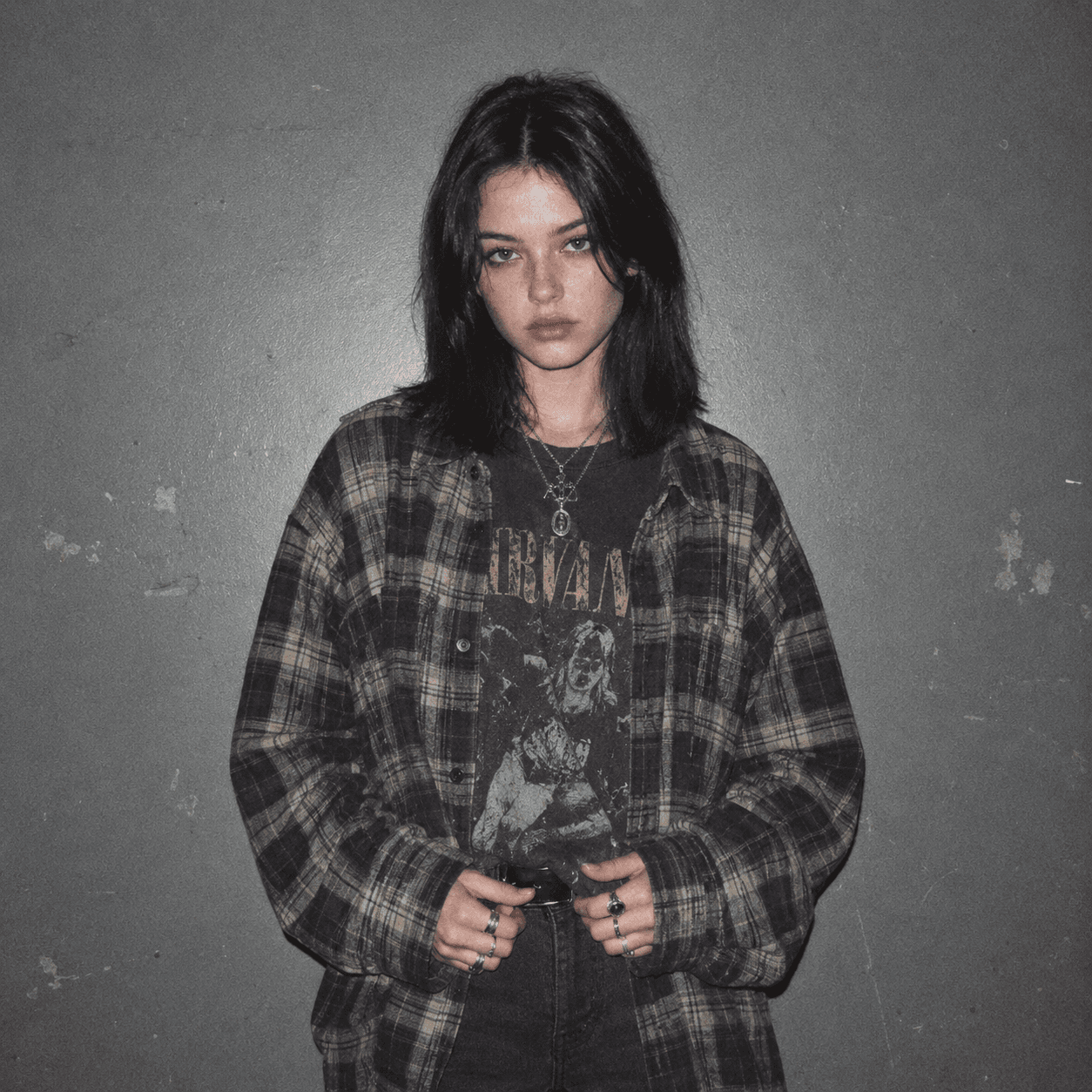
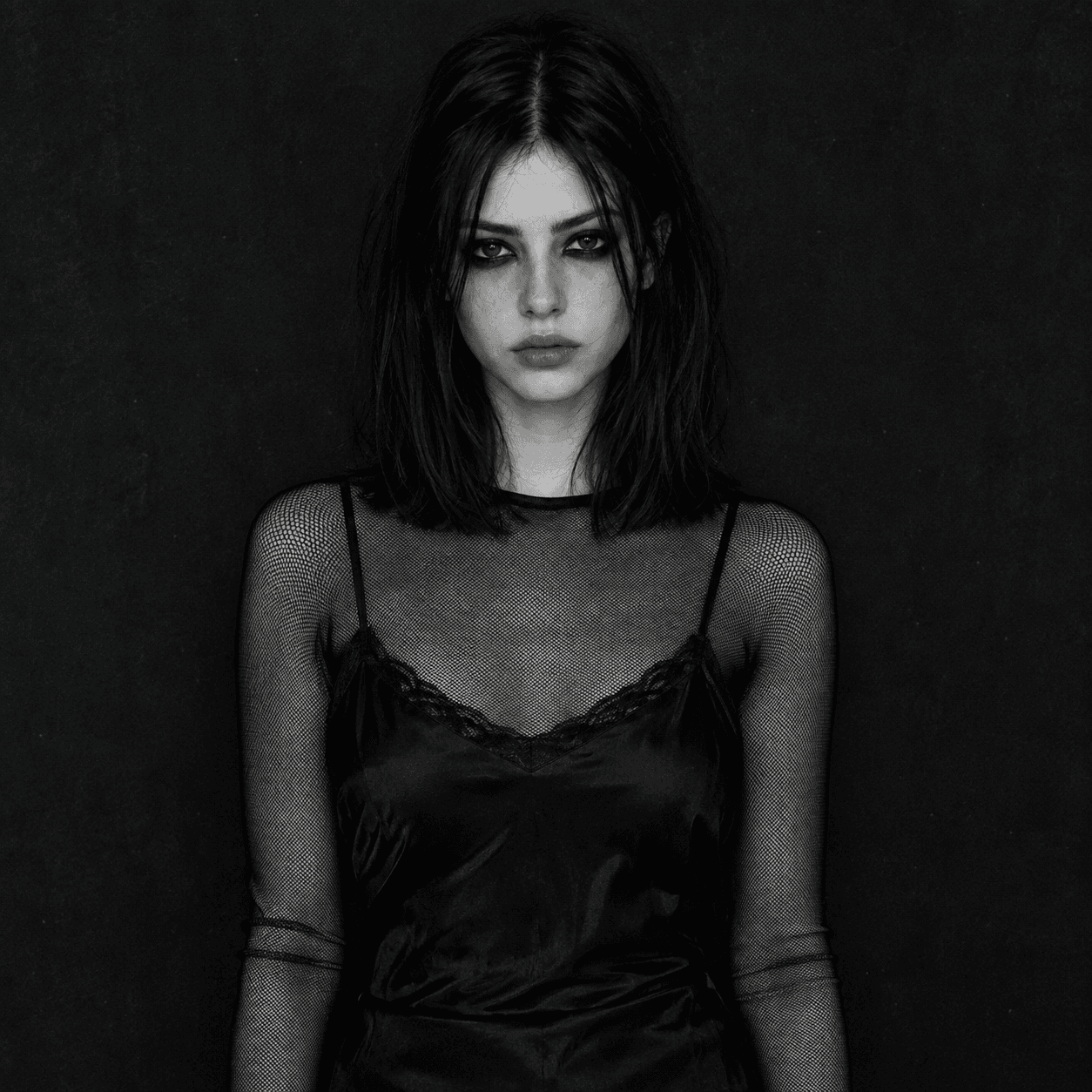
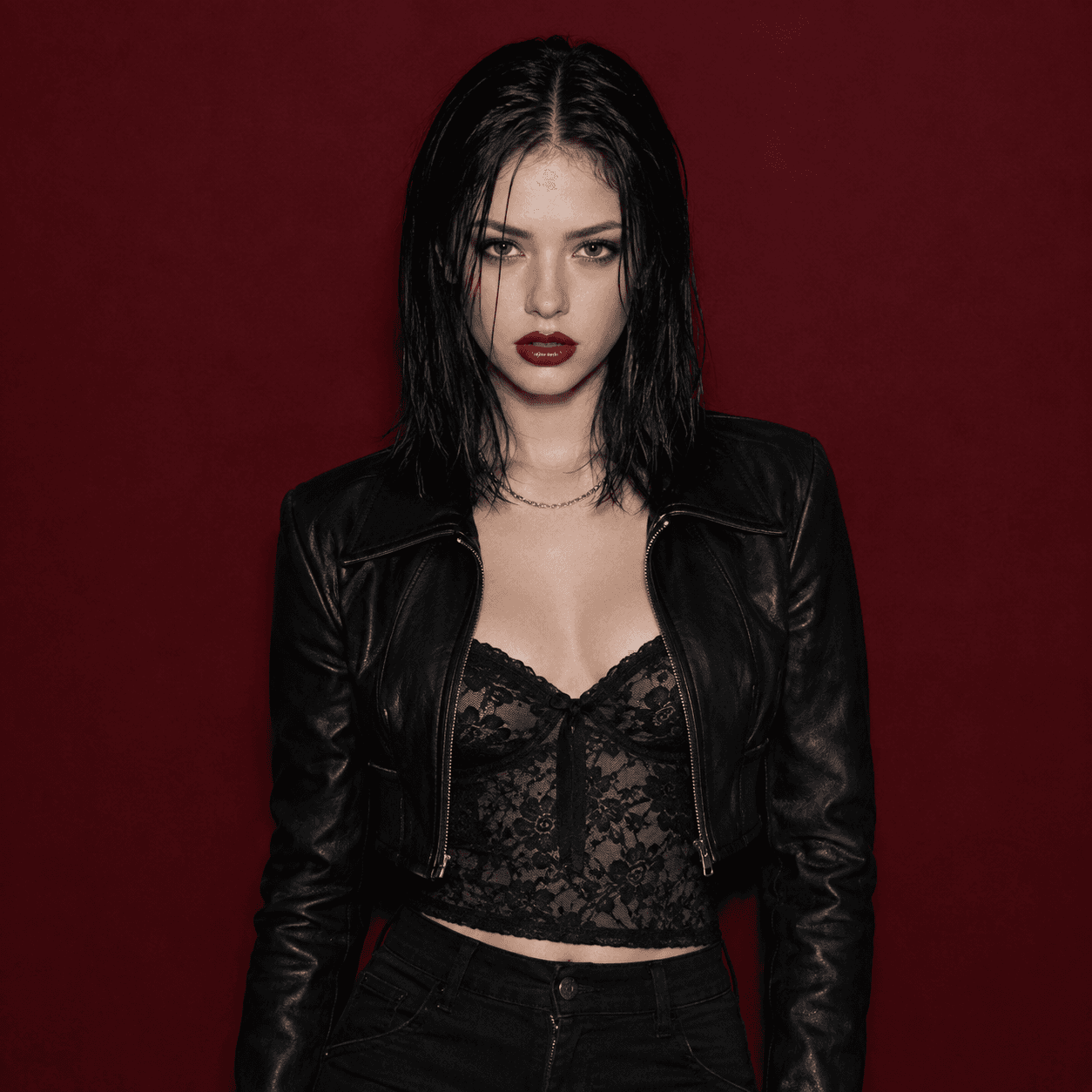
One person in three grunge looks — only the wardrobe and palette change
A prompt template for a grunge frame
The prompt has a predictable shape: texture first, then light, then the look, background last. That is the order used by the authors of the most repeated frames in our feed.
The base formula: "Portrait with film texture: coarse grain, high contrast, crushed shadows. Hard direct flash, sharp shadow on the wall behind. Flannel shirt open over a faded tee, smudged dark liner, tousled hair. Background: peeling concrete wall. Waist-up frame, face centred."
Then change one block at a time. Monochrome version: add "high-contrast monochrome" and remove every colour word. Street version: "night street, light from a shop window, motion blur at the edge of the frame". PFP version: "square 1:1, head and shoulders, plain dark background" — in a small circle a busy background turns to noise.
Which model to use and what it costs
Model choice in this texture leans towards image-to-image: 1,032 of the 2,916 generations went through GPT Image 2 with a source frame on the input, because grain and contrast sit more easily on a composition that already exists. Nano Banana 2 is the pick when the outfit and background change completely — it holds the likeness better through a full change of clothes and light. On the catalogue Elo board GPT Image 2 sits at 1,171 and Nano Banana 2 at 1,122.
Stability is not an issue: 2,913 of 2,916 generations finished successfully. Pricing is flat across every photo model in the catalogue — 200 credits per image. Credit packs and subscription allowances are listed on /pricing.
| Model | Generations in 90 days | Share | Price |
|---|---|---|---|
| GPT Image 2, image to image | 1,032 | 35% | 200 credits |
| Nano Banana 2 | 931 | 32% | 200 credits |
| Nano Banana Pro | 444 | 15% | 200 credits |
| GPT Image 1.5, text to image | 165 | 6% | 200 credits |
| GPT Image 2, text to image | 164 | 6% | 200 credits |
What a grunge frame will not get right first time
Three things are worth knowing before you spend credits on attempts.
Lettering. A band name on a tee or a caption over the frame still comes out misspelled from generative models. It is safer to get a clean frame and add the text in any editor.
An exact copy of someone else’s outfit. The model understands "flannel shirt in a large check", but it will not reproduce one specific garment from another photo unless you attach that photo as a separate reference.
Motion. A grunge frame is static by nature, but it can be animated: on /create/video, Kling 3.0 and Veo 3.1 Fast take a finished image as the first frame and add movement — a head turn, a step, a flash blink. Five seconds costs 600 credits, 900 on Veo 3.1. Describe one specific action rather than asking for energy.
Sources
- Wikipedia — Grunge fashion: the wardrobe of the style and where it came fromen.wikipedia.org
- Adobe — how to add grain and texture in Photoshophelpx.adobe.com
- Google — Snapseed help, the Grunge filtersupport.google.com
- Digital Photography School — a grunge portrait edit in Lightroomdigital-photography-school.com
FAQ
How do I make a grunge photo from an ordinary selfie?
Upload a front-facing selfie on /create/photo as the face reference and describe the shooting conditions: coarse film grain, high contrast, hard direct flash, flannel shirt, peeling wall. First variants land in about a minute — our median wait is 49 seconds. Then change one detail per attempt.
Should the word "grunge" be in the prompt?
Usually not. Over 90 days the word appeared in 9 of our prompts, while 2,916 generations asked for the traits themselves — grain, contrast, monochrome, film. A model reads listed traits far more precisely than a style name.
How is a Lightroom edit different from generation?
Lightroom, Photoshop and Snapseed add grain, contrast and toning to a photo you already took: they change the texture but not the outfit, the background or the flash shadow. Generation takes the face from your photo and rebuilds the scene, so light, look and background all change.
What format should a grunge PFP be?
Square 1:1, head and shoulders, face centred, plain dark background. Keep the grain and the hard light — without them the frame reads as a normal portrait. Keep the details to one or two: anything else turns to noise inside a small circle.
How much does one grunge generation cost?
200 credits per image, the same as every other photo model in the catalogue. Sign-up credits cover the first attempts, and monthly credit allowances are listed on /pricing.
Can a grunge frame be turned into a short video?
Yes. On /create/video, Kling 3.0 and Veo 3.1 Fast accept a finished image as the first frame and add motion — a head turn, a step, a flash blink. Five seconds costs 600 credits, 900 on Veo 3.1.