
AI for Instagram — photos, avatars & Reels
An AI tool for Instagram generates feed photos, a profile avatar, Reels covers and Stories visuals from a single selfie or a text prompt in minutes — no photographer, no studio. Twin AI puts several models and 30+ ready styles in one window and makes both images and vertical video. Free to start, no subscription lock-in.
What is an AI tool for Instagram
An AI tool for Instagram is a service that creates visuals for the platform without a camera or a shoot: feed photos, a profile avatar, a Reels cover, a Stories background and carousel slides. The model takes one photo as a reference or a text prompt and returns a finished frame in seconds.
In Twin AI this happens in one window: open “Create photo”, upload a selfie or type a description, pick a model and a style, and get several variants in the right format. You do not switch between apps to make an avatar in one, a cover in another and a video in a third.
What Instagram content you can make
Instagram is a visual platform where the whole profile aesthetic matters — avatar, feed, Reels and Stories. AI covers each of these formats:
- Profile avatar — a recognizable portrait from a selfie: professional, lifestyle, anime or 3D figure
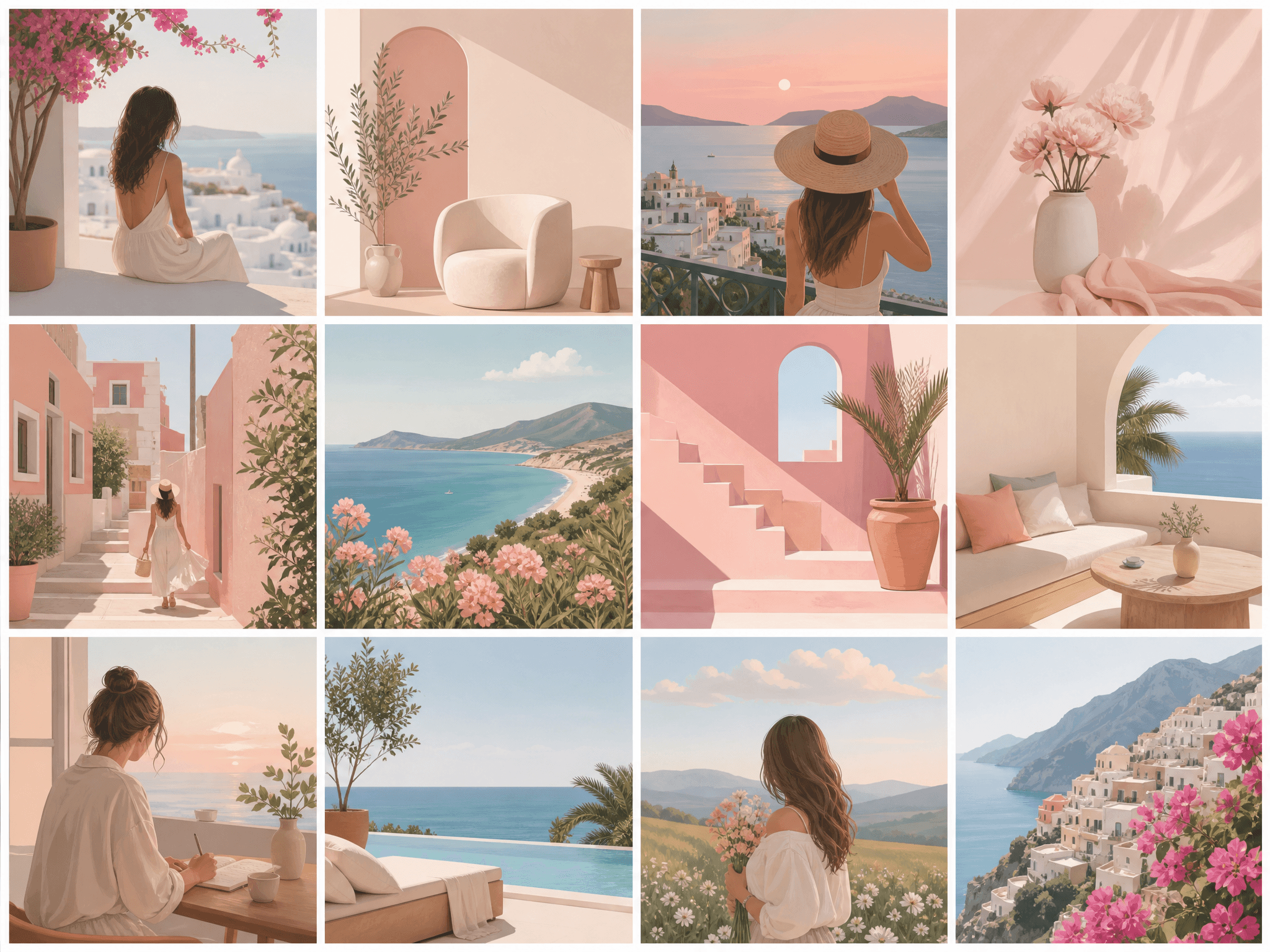
- Feed photos — portraits and lifestyle shots in a consistent style so the grid looks cohesive
- Reels covers — a bold vertical 9:16 image that catches the eye in the explore feed
- Carousels — a series of slides in one visual language: round-ups, guides, before/after
- Stories backgrounds — quick vertical backdrops for text, polls and stickers
- Product and promo shots — if you run a shop or a personal brand on Instagram
Which Twin AI models fit Instagram best
The key advantage of Twin AI is several models in one window — no separate subscription for each tool. For Instagram content the strongest picks are:
- Nano Banana Pro — the most accurate image-edit: keeps your face from a single photo while swapping background, outfit and style without a melting likeness — perfect for an avatar and a matching set
- Flux 2 Pro — photorealism for portraits and lifestyle: natural skin, realistic light and depth
- GPT Image 2 — follows the prompt precisely and up to 4K: complex scenes and promo shots
- Ideogram 3 — when a Reels cover or a carousel slide needs clean, readable text
- Kling 3 and Veo 3 — vertical video for Reels and Stories straight from a photo or a prompt
Instagram formats and sizes
Instagram uses several aspect ratios, and Twin AI lets you pick the matching generation format for each. The key sizes for 2026:
- Portrait post — 4:5, 1080×1350 px (takes more space in the feed than a square)
- Square post — 1:1, 1080×1080 px (the classic profile grid)
- Reels and Stories — 9:16, 1080×1920 px (full-screen vertical)
- Profile avatar — 1:1, shown as a circle, so keep the face centered
- Reels grid thumbnail — a 1:1 crop from the 9:16 vertical frame
How to make a post in a minute
Step 1. Take a sharp photo where your face is clearly visible — a regular phone selfie works.
Step 2. In Twin AI open “Create photo” → upload the shot as a reference → pick Nano Banana Pro → write a prompt like “lifestyle portrait on a city street in the evening, cinematic light, keep the face” and select the 4:5 format.
Step 3. Get 4–6 variants. Refine the one you like with a follow-up prompt — change location, outfit and mood without losing the likeness.
Step 4. For a cohesive feed, repeat the same style across a few frames or use a photoshoot template to get a set in one palette.
Step 5. Download in the right size and publish.
Reels and video for Instagram
Instagram pushes reach to Reels, so vertical video matters more than stills. In Twin AI video is generated in the same window: open “Create video”, upload a frame or type a prompt, pick Kling 3 or Veo 3 and the 9:16 format. The model animates your photo or builds a short clip from a description — and you can make a matching cover with an adjacent image generation. The whole Reel — cover and clip — comes together in one service.
How much Instagram content costs
One Nano Banana Pro generation = 100 credits ≈ $0.30. A set of 10–15 feed frames costs roughly 1000–1500 credits ≈ $3–4. Free credits on sign-up are enough to test several styles before paying. A subscription from $6/mo gives 1500 credits — a month of profile visuals.
For comparison, a content shoot with a photographer starts at $40–60 per hour and takes days with editing. AI solves the same job in minutes and for cents per frame, with no per-style training and no subscription lock-in.
Keeping a consistent feed style
An Instagram profile looks premium when every frame shares one palette and logic. A few rules help:
- Pick one model and one lighting type per series so frames do not clash
- Set a common color scheme in the prompt (warm film, cool minimalism, pastel) and repeat it
- Use a photoshoot template as a base — it keeps the style automatically across frames
- Generate 4–6 variants and pick the best — cheaper than one “perfect” prompt
- Alternate portraits and detail shots in the same tone so a 3×3 grid stays rhythmic
FAQ
Will Instagram ban AI photos?
Not for generating them. Instagram labels some AI content with a tag but does not block accounts for it. The rule is simple: do not pass generated media off as real news or someone else’s identity. For a personal brand, feed and Reels, AI visuals are used freely.
Can I make Instagram content for free?
Yes. Sign-up grants free credits — enough to generate several frames and test styles before paying. After that you can continue on a subscription from $6/mo or top up credits once.
How do I make the photo look like me?
Upload a sharp, front-facing selfie with even light. Nano Banana Pro and Flux 2 Pro keep recognizable facial features even when they fully change the background, outfit and style. The sharper the source, the closer the result.
Can I make a video for Reels, not just photos?
Yes. In “Create video” you get Kling 3 and Veo 3 — they generate vertical 9:16 video from your photo or a text prompt. You can make a matching Reels cover with an adjacent image generation in the same service.
How is this different from an AI avatar generator?
An avatar is a single frame for your profile. Instagram content also includes the feed, Reels, Stories and carousels in one style. In Twin AI it is the same tool — you just create a series of formats for the platform instead of one frame.
What aspect ratio should I use?
Use 4:5 (1080×1350) for feed posts to take more space, 1:1 for a classic grid and profile avatar, and 9:16 (1080×1920) for Reels and Stories. Twin AI lets you set the format before generating.